
Wan 2.2 LoRA: How to Choose the Right One, What's Popular, and What to Avoid
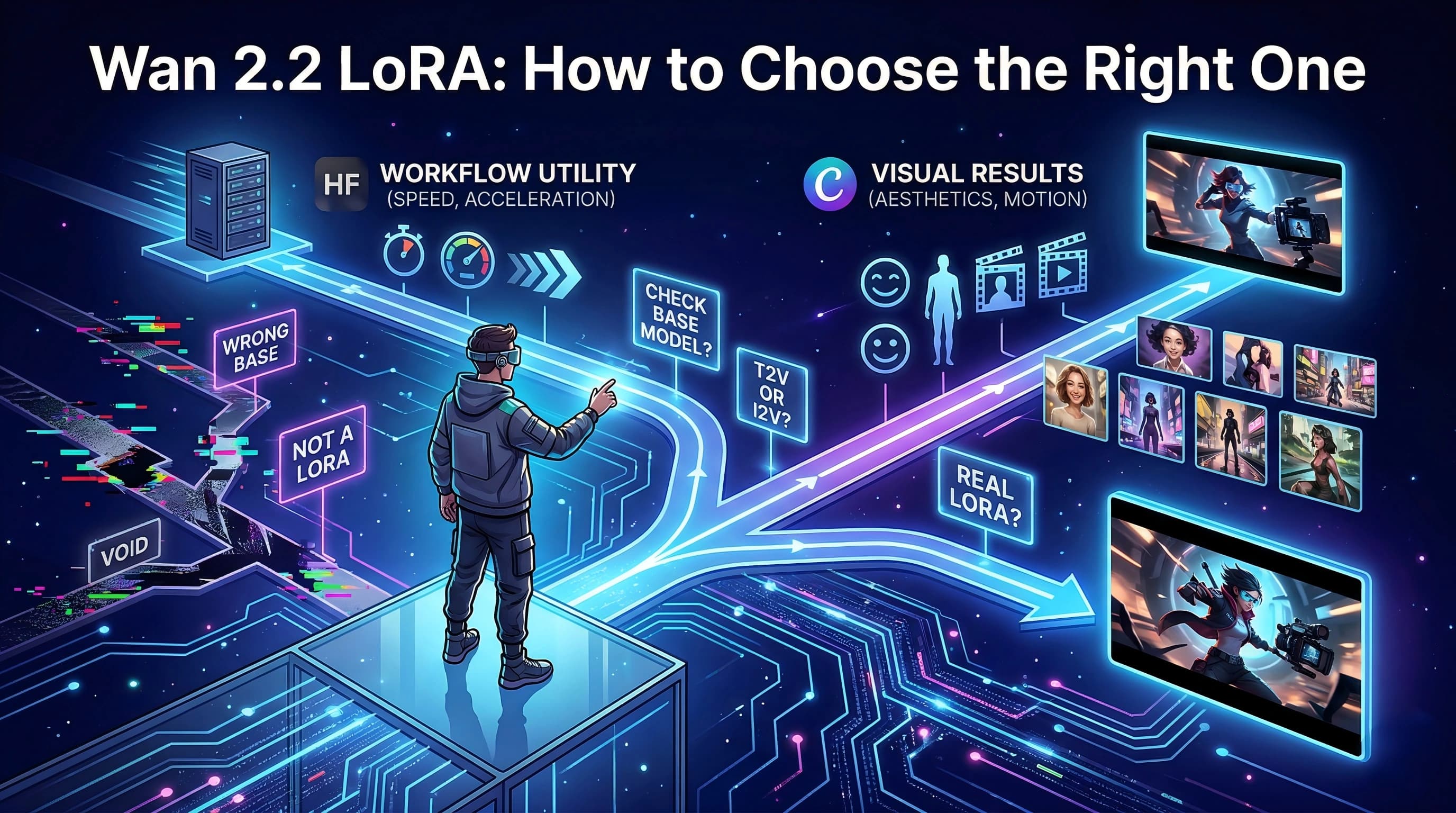
If you are looking for a Wan 2.2 LoRA to try, the hardest part is usually not finding options.
It is figuring out which options are actually relevant to your workflow.
A lot of pages make this harder by turning the topic into a simple popularity list. That sounds useful, but in practice it leaves out the part most readers actually need:
- whether the asset is really a LoRA
- whether it is built on a real Wan 2.2 base
- whether it fits T2V or I2V
- whether the kind of "popular" result you are seeing is even the kind you want
So this article is not built around a generic top list.
It is built around the questions a reader usually has when they are about to choose:
- What kind of Wan 2.2 LoRA do I actually need?
- Should I be looking on Hugging Face or Civitai first?
- What should I check before I download anything?
If you only want the short version
Start here:
- If you want faster or more practical inference, look first at distillation and acceleration LoRAs on Hugging Face.
- If you want portraits, body styling, or visually obvious aesthetic changes, Civitai is usually easier to browse first.
- If you want motion, camera moves, or interaction-driven effects, pay close attention to whether the LoRA is aimed at I2V rather than T2V.
- Before trusting any title, check the base model and confirm the asset is actually a LoRA rather than a finetune, checkpoint, control model, or repackaged full weight.
If that already answers your immediate question, great. If not, the rest of the article will help you narrow your choice more safely.
The first decision: what are you trying to change?
Before comparing names or rankings, it helps to know what job you want the LoRA to do.
Most Wan 2.2 LoRAs fall into a few familiar groups:
- make inference faster
- change motion or camera behavior
- change portrait or body presentation
- push a specific style, character, or theme
- steer output quality through reward or alignment tuning
This matters because the best LoRA for one goal can be the wrong LoRA for another.
If you are trying to make a shot move in a certain way, a portrait-oriented LoRA will not solve that problem.
If you are trying to make a subject look a certain way, a motion-oriented LoRA may be technically good but still not useful to you.
That is why the right starting point is not "what is the most popular Wan 2.2 LoRA?"
It is "what am I trying to control?"
What actually counts as a Wan 2.2 LoRA
This is the most important filter in the whole topic.
Not every popular Wan 2.2 asset is a LoRA.
When people search for Wan 2.2 LoRA, they often end up looking at a mix of:
- true LoRAs or adapters
- full finetunes
- distilled checkpoints
- control models
- repackaged or quantized full weights
That mix is one reason the space feels confusing so quickly.
Real LoRAs and adapters
This is what most users are actually looking for.
These are smaller add-on weights meant to steer the base model toward a narrower purpose, such as:
- a motion pattern
- a camera move
- a style
- a portrait look
- a more specialized behavior
Examples in the current ecosystem include:
lightx2v/Wan2.2-Distill-Loras- community I2V camera and motion LoRAs
- Civitai portrait, character, and slider-style LoRAs built on Wan 2.2 bases
Full finetunes
Some assets look like LoRAs from the title alone, but function more like finetuned model weights.
This matters because a list that says "top Wan 2.2 LoRAs" may quietly include things that are not really in the same class.
Distilled checkpoints
There is also a real difference between:
- a distilled LoRA
- a distilled full checkpoint
They may come from the same publisher or sit in the same family, but they should not be treated as interchangeable.
Control models and repackaged full weights
Some Wan 2.2-related assets are built for control workflows. Others are full weights repackaged for ComfyUI, Diffusers, or quantized formats.
These can still be useful, but they are not the same thing as a LoRA.
If you want one sentence to remember from this section, make it this:
Popular Wan 2.2 asset is a bigger bucket than Wan 2.2 LoRA.
Where to look first: Hugging Face or Civitai?
This is the second big decision, and it depends on what you want.
The two platforms surface different kinds of value.
Start with Hugging Face if you care more about workflow utility
On Hugging Face, the high-visibility Wan 2.2 LoRA-related assets tend to lean more toward:
- distillation
- acceleration
- reward-oriented tuning
- reusable motion or utility adapters
That makes Hugging Face a better first stop if your main question is:
- how do I make this workflow faster?
- what is technically mature enough to plug into a pipeline?
- which assets are structured more like tools than like showcase pieces?
This is also where you need to be careful with naming noise.
In the research snapshot, some entries with wan2.2 in the title were not actually based on Wan 2.2 at all. Some pointed instead to Z-Image-Turbo or Qwen-Image.
So if you browse Hugging Face first, the safe rule is:
Do not trust the name until you have checked the base model.
Start with Civitai if you care more about visible results
Civitai is often a better first stop if your real question is:
- what kinds of Wan 2.2 outputs do people actually like?
- what portrait looks are spreading?
- what motion or style effects are getting attention?
After filtering the research data down to Wan 2.2-related LoRAs, the strongest Civitai-side patterns leaned more toward:
- portraits
- realism tuning
- interaction effects
- body sliders
- camera tricks
- style-forward looks
That does not make Civitai "better." It just makes it better for a different job.
Hugging Face is better at showing workflow-facing demand. Civitai is better at showing preview-facing demand.
If you mix those two signals together as if they mean the same thing, the topic gets confusing fast.
T2V and I2V should change how you choose
A second reason readers get stuck is that they treat all Wan 2.2 LoRAs as one pool.
They are not.
At a high level, T2V and I2V tend to pull attention toward different kinds of LoRAs.
If you are working in T2V
The more visible T2V-side patterns often lean toward:
- portrait aesthetics
- appearance presets
- body sliders
- realism tuning
- style-driven visual results
If your goal is mostly about how the subject looks, this is usually the more relevant lane.
If you are working in I2V
The more visible I2V-side patterns often lean toward:
- interaction cues
- orbit and rotation moves
- bullet-time-like motion
- drone and arc movement
- time-lapse effects
If your goal is mostly about how the shot behaves, this is usually the more relevant lane.
This is why a good LoRA can still be the wrong choice for you. The issue is not always quality. Sometimes it is simply a pipeline mismatch.
The main types of Wan 2.2 LoRAs worth knowing
Once you know what you are trying to change, the category map becomes more useful.
As of the March 27, 2026 research snapshot, the main groups look like this.
Distillation and acceleration LoRAs
These are especially visible on Hugging Face.
They matter most when the goal is workflow efficiency:
- fewer steps
- faster inference
- more practical distilled pipelines
Reward and alignment LoRAs
These are more about steering output behavior or quality than producing an obvious visible style difference.
They are useful, but they are usually easier to appreciate once you already understand the surrounding workflow.
Camera, motion, lighting, and performance LoRAs
These matter when you want the video to behave differently, not just look different.
This includes things like:
- camera rotation
- drone-style movement
- arc shots
- time-lapse effects
- volumetric lighting
- smaller facial actions
Portrait, body, slider, and beauty-control LoRAs
These are easier to spot on creator platforms because the value is immediately visible in previews.
They usually matter most for:
- portrait aesthetics
- body presentation
- skin presentation
- glamour-oriented outputs
Character, IP, style, and theme LoRAs
This is the long tail of the ecosystem:
- anime styles
- retro looks
- costume-driven concepts
- fictional character vibes
- niche themes
If your use case is creative identity rather than workflow utility, this category matters more.
Why there are so many Wan 2.2 LoRAs at all
This is useful context, but it is not the first question most readers need answered, so it is worth keeping short.
Wan 2.2 ended up with a large LoRA ecosystem because:
- the base ecosystem was open enough to build on
- the community had practical tooling for training and sharing
- video workflows create strong demand for specialized control
In other words, the large number of LoRAs is not a weird accident. It is a predictable result of an open video model meeting active workflow communities.
The safest way to choose a Wan 2.2 LoRA
If you want a simple selection order, use this one.
1. Check the base model first
Do this before you care about popularity, previews, or naming.
Confirm:
- the actual base model
- whether it is really Wan 2.2
- whether it matches the branch you are using
2. Confirm it is really a LoRA
Check the tags, files, and model card language.
Ask:
- is this an adapter?
- is this a finetune?
- is this a full checkpoint?
- is this a control model?
3. Match the pipeline correctly
Check whether the asset fits:
- T2V or I2V
- the workflow wrapper you use
- any noise-stage or inference-chain assumptions in the setup
4. Use popularity only after compatibility passes
Popularity still has value. It can show what the community keeps returning to.
Just do not let it be the first filter.
Common mistakes that waste the most time
If you want to avoid the usual beginner mistakes, these are the ones that matter most.
Treating every high-download Wan 2.2 asset as a LoRA
This is the easiest mistake to make and the simplest one to fix.
Trusting titles more than base models
Open ecosystems create naming noise. Wan 2.2 is not immune to that.
Mixing Hugging Face and Civitai rankings as if they mean the same thing
They do not. One surfaces workflow-facing value. The other surfaces preview-facing value.
Ignoring T2V vs I2V
This is one of the biggest reasons a "popular" LoRA still ends up feeling wrong in practice.
Assuming all Wan pipelines behave the same way
The official Wan 2.2 README explicitly notes that if you are using Wan-Animate, LoRAs trained on Wan2.2 are not recommended by default because training-time weight changes may lead to unexpected behavior.
That does not mean they can never work. It means you should test carefully instead of assuming automatic compatibility.
What to do next if you are choosing your first one
If you are about to try your first Wan 2.2 LoRA, do this:
- Decide whether your goal is speed, motion, portrait control, or style.
- Decide whether your workflow is T2V or I2V.
- Check the base model and confirm the asset is actually a LoRA.
- Only then compare popularity or previews.
That is the clearest next step this topic supports.
It is not the fastest way to click a download button, but it is the fastest way to avoid downloading the wrong thing.
Final takeaway
There is no one best Wan 2.2 LoRA for everyone.
There is only the one that best matches what you are trying to control.
If your priority is:
- faster or lighter inference, start with distillation-oriented Hugging Face assets
- motion or camera behavior, look first at I2V-oriented movement LoRAs
- portrait and body-style control, look first at T2V-heavy Civitai patterns
- dependable use inside a specific workflow, verify the exact base model and pipeline before anything else
So if you leave this article with one practical habit, let it be this:
Check compatibility before popularity.
That is the filter most likely to save you time.