
WAN 2.2 TURBO SPICY
Wan 2.2 Turbo Spicy Video Generator
Create fast, high-quality NSFW videos with no creative restrictions. Animate an existing image with Wan 2.2 Turbo Spicy, or use NSFWWan’s image, text-to-video, and reference-to-video tools when your project starts from something else.
Generate directly in your browser without installing a local checkpoint, configuring ComfyUI, managing an API key, or maintaining a GPU environment.
Turbo-Accelerated · NSFW-Focused · Browser-Based · Full Wan Workflow
On this page
PROMPT CONTROL
Get the Motion You Asked For, Not a Redrawn Image
The starting image and the prompt have different jobs.
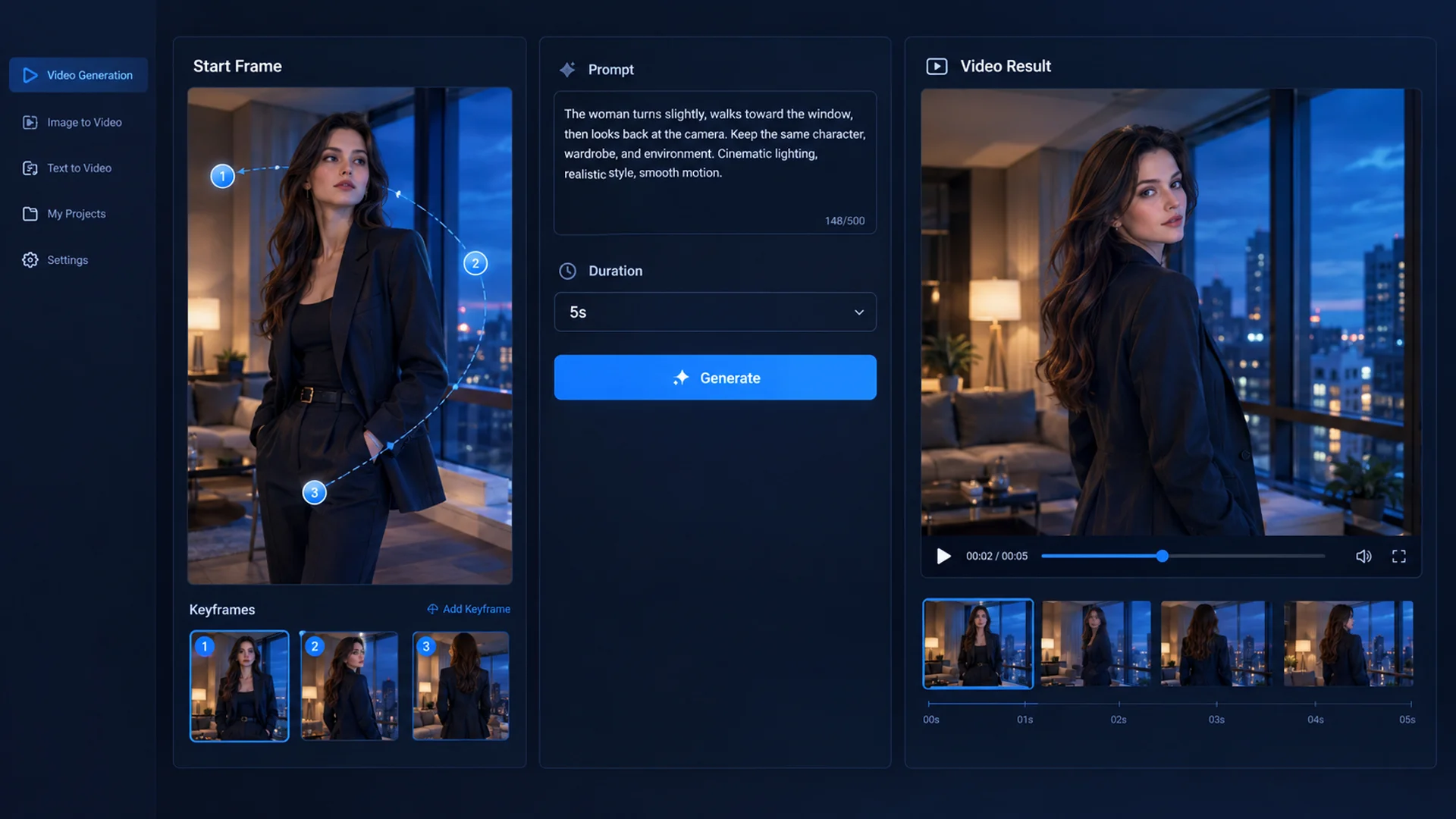
The image should define the character, clothing, environment, lighting, and opening composition. The prompt should direct what happens next. Repeating every visible detail can encourage the model to reinterpret parts of the frame instead of preserving them.
Use this structure:
Main Action + Character Response + Camera Direction + Pace + Ending State
For example:
She turns toward the camera, raises her chin slightly, and brushes her hair behind one shoulder. Slow camera push-in, controlled natural movement. End in a steady close-up with direct eye contact.
This works better than describing the same face, clothing, room, and lighting already visible in the image.
Keep one main body action and one camera movement in each test. If both are complicated, it becomes difficult to tell whether the character, camera, or prompt caused the failure.
MODEL EXPLAINED
What Makes Wan 2.2 Turbo Spicy Different?
Wan 2.2 Turbo Spicy is a hosted, accelerated generation route built on Wan 2.2 for permitted NSFW image-to-video creation.
Spicy refers to broader support for NSFW creative directions with fewer general-purpose prompt restrictions. Turbo refers to accelerated, few-step inference that reduces the wait between an idea and the next generated version.
Spicy expands the creative range. Turbo speeds up iteration.
The rCM acceleration layer runs on NSFWWan’s servers. You do not need to download acceleration weights, merge checkpoints, configure ComfyUI nodes, or deploy the model locally.
The NSFWWan route also uses additional NSFW-focused training data rather than relying only on looser prompt filtering. This tuning is intended to improve relevance across permitted 18+ character, movement, expression, and scene directions.
Different providers may package Spicy and Turbo Spicy differently. The controls shown in the NSFWWan generator define what is available on this page.
CHOOSE YOUR ROUTE
Use Turbo Spicy When Speed Matters More Than a Long Take
Turbo Spicy is most useful when you already have the visual direction and want to test motion quickly.
Choose it when:
- An approved starting image should remain recognizable.
- The scene contains one clear action or reaction.
- You want to compare several motion or camera variations.
- A short, silent clip fits the intended edit.
- Fast iteration matters more than advanced reference control.
It is not automatically the best Wan route for every scene.
No Starting Image?
Build the first scene from a prompt with NSFW Text-to-Video, or create the approved character appearance with the Wan Image Generator.
Need the Same Character in a New Composition?
Use Reference-to-Video when identity or visual direction should remain recognizable but the opening frame does not need to stay fixed.
Need More Duration, Resolution, or Audio?
Continue with another NSFWWan model when the shot needs up to 15 seconds, output up to 1080p, native audio, editing, or extension. Review the available Wan Models instead of forcing one Turbo Spicy clip to do every job.
Turbo Spicy is the fast starting route. NSFWWan gives you somewhere useful to go after the first result.
TEST THE MOTION
Test One Image Three Ways Before Building the Full Scene
A useful test should answer a production question. Repeating the same prompt with random seeds tells you less than changing one deliberate variable.
Test 1: Character Performance
Keep the camera almost still and test expression, eye contact, breathing, or a small change in posture. This reveals whether the starting image can preserve the character during subtle motion.
Test 2: Full-Body Action
Use a wider image and request one readable movement with a clear final pose. This tests whether the frame contains enough body information and movement space.
Test 3: Camera Direction
Keep the character action simple and change only the camera instruction. Compare a slow push-in, lateral pan, or controlled orbit to see which framing supports the scene.
Approve the character and motion separately before combining them into a more ambitious prompt.

Video 1: Character Performance
Label: Expression Test
Video 2: Full-Body Action
Label: Movement Test
Video 3: Camera Direction
Label: Camera Test
IMPROVE RESULTS
Fix the Input Before Spending More Credits
When the first result fails, another random generation is not always the right response.
The Face Changes During Movement
Use a cleaner image with a larger, unobstructed face. Reduce the camera angle change and keep the action closer to the original pose.
The Character Barely Moves
Replace vague language with one visible action and a defined ending state. “Moves naturally” gives the model less direction than “turns toward the camera and ends in a medium close-up.”
Hands or Limbs Become Unstable
Use a frame where the relevant joints are visible. Remove overlapping objects and avoid combining several limb movements in one short clip.
The Composition Changes Too Much
Stop redescribing the environment. Let the image control the room, clothing, lighting, and opening frame while the prompt controls motion.
The Clip Ends Before the Action Finishes
Simplify the movement or move the scene to another Wan route with more duration. A longer prompt does not create more time inside a short clip.
FAQ
Wan 2.2 Turbo Spicy FAQ
It is a hosted Wan 2.2 generation route designed for faster NSFW image-to-video iteration. Spicy describes its broader permitted NSFW creative range, while Turbo describes the accelerated generation process.
Wan 2.2 Spicy focuses on NSFW image-to-video generation with fewer broad prompt restrictions. Turbo Spicy adds accelerated inference, making it more suitable for testing multiple movements, camera directions, and scene variations.
It supports a broader range of permitted NSFW creative directions. Generation credits, duration, and available output settings still depend on the selected route and account.
Turbo Spicy is primarily the fast route for animating an existing image. Use NSFW Text-to-Video when the project begins with a written idea rather than a prepared frame.
Turbo Spicy is used as the fast I2V starting point. NSFWWan also provides compatible Wan routes offering clips up to 15 seconds when the scene needs more time to develop.
Available resolution depends on the selected route and configuration. NSFWWan provides Wan models with output options up to 1080p when a higher delivery resolution is required.
No. Turbo Spicy returns video without native audio. Add sound during post-production or select another NSFWWan route when audio is part of the generation.
No. The model and rCM acceleration layer run on NSFWWan’s infrastructure. You can upload the input, enter the prompt, and generate through the browser.
The Turbo Spicy route on this page is hosted. Local Wan generation requires separate checkpoints, acceleration components, compatible software, and sufficient GPU resources.
Switch when the scene needs text-first generation, multiple references, a longer take, native audio, editing, extension, or more control than a short accelerated I2V pass provides.
START GENERATE
Get the First Motion Test Right
Start with one readable image, one clear action, and one camera direction. Generate the first Turbo Spicy clip, review what changed, and only add complexity after the character and movement work.
Generate With Wan 2.2 Turbo Spicy